Classrooms
Computer Classrooms for Reservation
Language Center classrooms provide an equitable, inclusive learning experience where all students access the same technology together in a supported environment.
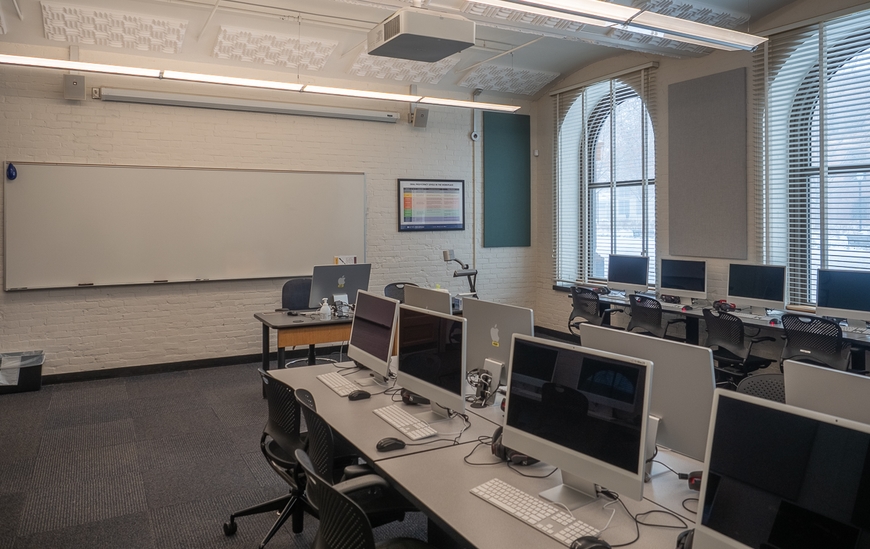
The Language Center maintains four Mac computer classrooms. They can be reserved in advance for use with language and culture classes or special events and workshops. All rooms have 26-30 student computers, along with an instructor's computer. If you would like to record your class using Kaltura in Jones 30 or 35, make a room reservation and select Computer Classroom as the type of room, and Video Recording as one of the activities requested. Instructors looking to record their class(es) must have their students fill out and submit a Photo and Video Release Form prior to recording.
Classroom Features
Each of the four classrooms offers various functionalities and capabilities, including:
-
Project in each room from a data projector connected to the installed instructor computer or a document camera, player, or personal laptop.
-
Present information on an electric projection screen along with wired and wireless internet access.
-
Conference in classrooms 30 and 35 using Kaltura Capture Desktop Recorder (Jones 30 Kaltura Instructions and Jones 35 Kaltura Instructions). Download the Photo and Video Release Form.
-
Wireless Lapel mics in each classroom capture the speaker as they move throughout the room.
-
A DVD player and document camera are also available in each of the classrooms.
-
A list of installed software includes Audacity, Antidote, and Praat.
New! Also available for setup in each of the classrooms are Polycom Studio USB cameras mounted on Tripods, to capture the presenter or audience. Make a reservation or contact us to learn more.
DiLL Features
All four classrooms feature Northwestern Digital Language Lab (DiLL) software, managed through Swift Education. This software provides an intuitive interface for instructors to perform a number of actions:
-
Create tasks for students to submit recordings
-
Pair students in random or non-random groups
-
Monitor and join student conversations
-
Make recordings of conversations
-
Save recordings automatically
-
Review recordings later through the Mac DiLL website
iMac (24-inch, M1, 2021) computers are located along the perimeter of the classroom, in addition to eight identical iMac computers at a center table. A long table for instructors at the front of the classroom provides a station for instructors to teach from. Each station is equipped with a headset. Two Rode Wireless Micro lapel mics are available for use. Also available for setup is a Polycom Studio USB camera mounted on a tripod to capture the speaker or the audience. A portable lectern provides a place to stand during lectures. Room capacity = 30 students.

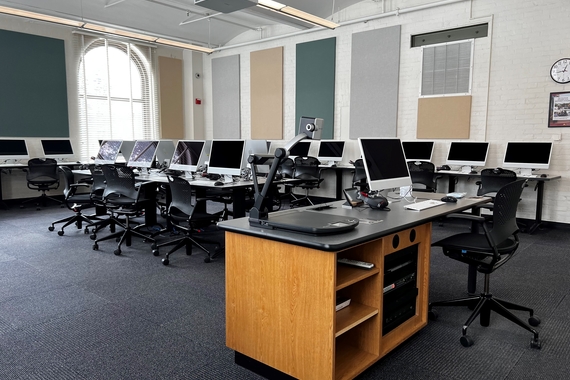
The classroom is equipped with M2 Mac Mini computers (2023) with 24" Dell displays positioned along the perimeter, featuring two tables with four M2 Mac Mini computers each near the center of the room. A long table at the front serves as the instructor's station. Each station is equipped with a headset. Two Rode Wireless Micro lapel mics are available for use. Also available for setup is a Polycom Studio USB camera mounted on a tripod. A portable lectern provides a place to stand during lectures. Room capacity = 28 students.

The classroom layout mirrors that of Jones 15, with M2 Mac Mini computers (2023) with 24" Dell displays positioned along the perimeter and two tables with four M2 Mac Mini computers each situated near the center. A long table at the front serves as the instructor's station. Each station is equipped with a headset. Additional functionality includes capabilities for video recording and conferencing directly from the instructor's computer using Kaltura (Jones 30 Kaltura Instructions). Two wireless lapel mics are available for use. Also available for setup is a Polycom Studio USB camera mounted on a tripod. A portable lectern provides a place to stand during lectures. Room capacity = 29 students.
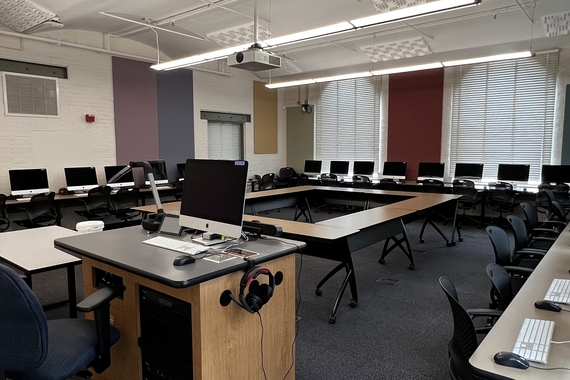
This classroom has a podium-style instructor's desk and is ideal for workshops or presentations. Mac mini computers ("M1" 8 CPU/8 GPU 2020) are installed on fixed tables around the classroom's perimeter. Each station is equipped with a headset. There are also six moveable tables that can be arranged as needed depending on classroom activities. Instructors can video record—using either a wall-mounted camera or a web conference camera mounted on the instructor's podium—and conference from the instructor's computer using Kaltura (Jones 35 Kaltura Instructions). Two wireless lapel mics are available for use. Also available for setup is a Polycom Studio USB camera mounted on a tripod. A portable lectern provides a place to stand during lectures. Room capacity = 26 students.